
Download Ashampoo Cover Studio – label maker, disc cover, media packaging, LightScribe, template design, custom labels, DVD booklet, CD cover, Blu-ray case, printable labels, media labeling software, cover designer, digital media, label printing
Overview
Ashampoo Cover Studio is a specialized productivity tool designed for users who need to create professional-looking labels and covers for physical media. The application targets individuals and small studios involved in organizing, distributing, or archiving audio and video content on discs. It serves as a comprehensive solution for designing DVD booklets, jewel case covers, slim case covers, and Blu-ray cases, offering a streamlined workflow for media packaging. The software is particularly useful for users who value visual consistency and presentation quality when distributing or storing media collections.
By supporting LightScribe technology, Ashampoo Cover Studio enables direct printing onto compatible discs, eliminating the need for adhesive labels and offering a clean, durable finish. This feature enhances both aesthetic appeal and long-term durability. The application is ideal for home users, content creators, educators, and small-scale distributors who want to maintain a polished appearance for their media without requiring advanced graphic design skills.
Although the developer did not provide additional technical details about the software’s background or development history, Ashampoo is recognized in the software industry for offering practical, user-focused tools. The app’s design philosophy centers on accessibility and functionality, allowing users to either modify pre-existing templates or start from scratch. Real-world use cases include organizing personal music and video libraries, preparing media for gifts or events, and creating branded content packages for educational or professional use.
Key Features & Functionality
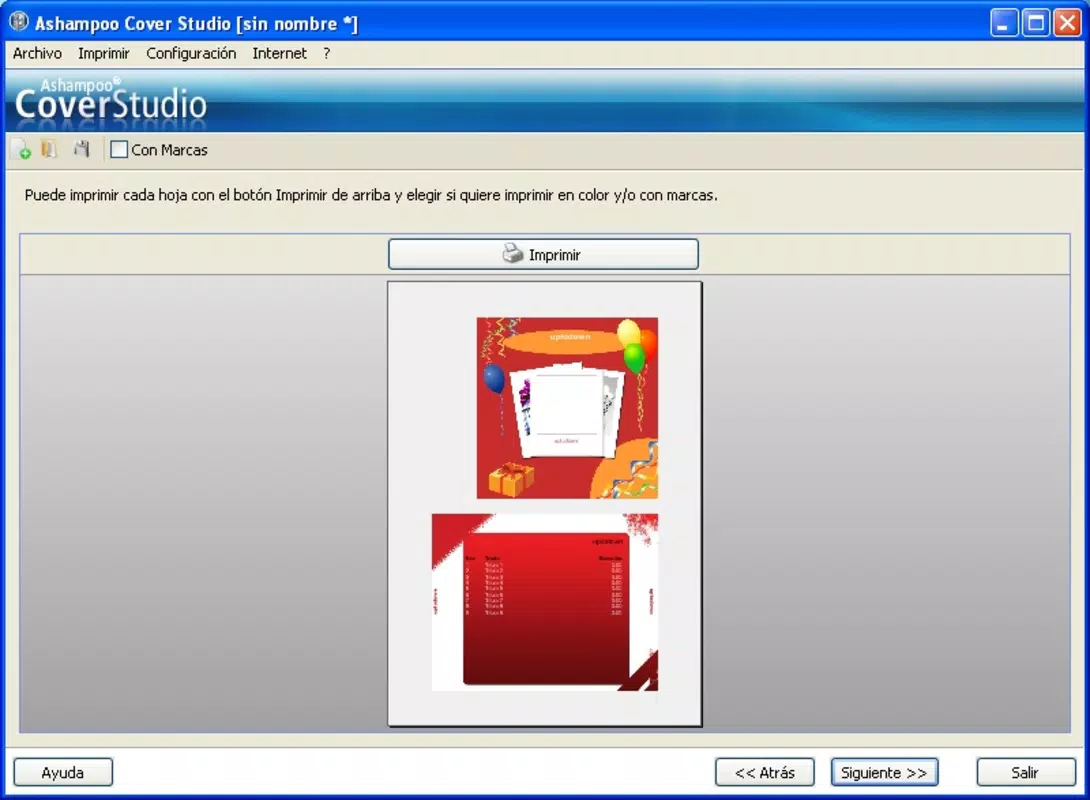
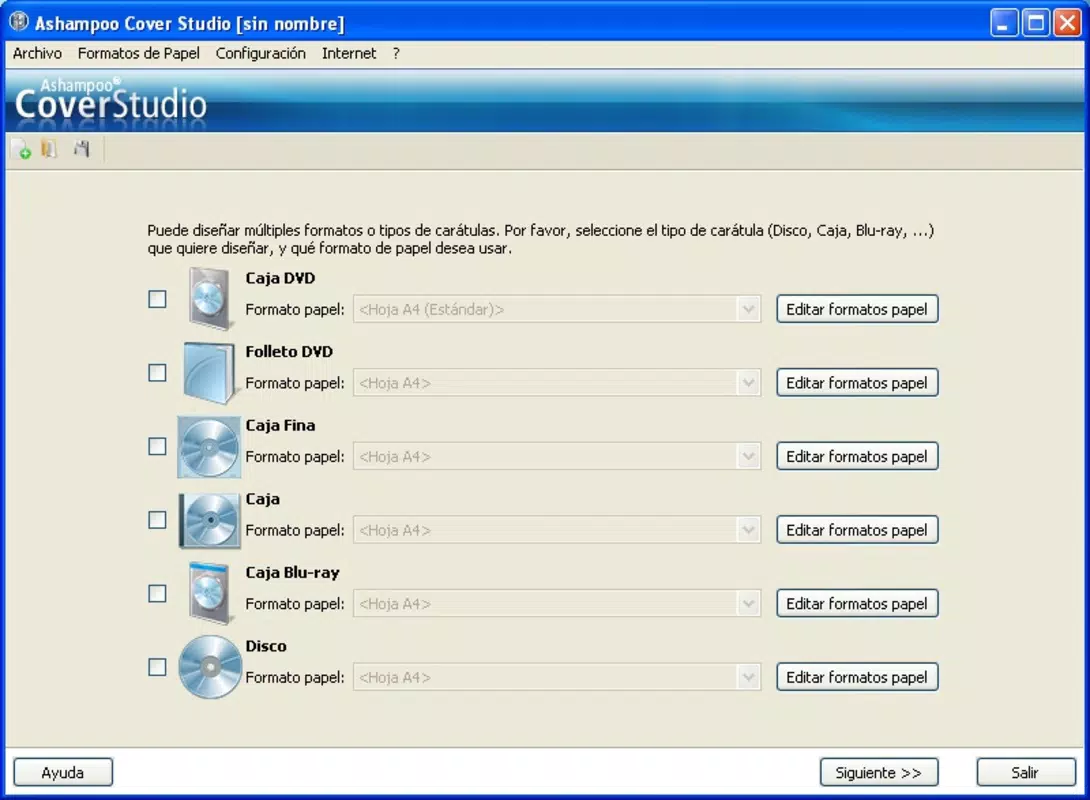
- Variety of Project Types: The software supports multiple media packaging formats, including DVD booklets, jewel case covers, slim case covers, and Blu-ray cases. This versatility allows users to create cohesive, professional-looking packaging across different disc types.
- Easy Track Import: Users can input track titles manually or retrieve them directly from inserted discs. This feature reduces manual entry errors and ensures accurate labeling, especially for music or video collections with long track lists.
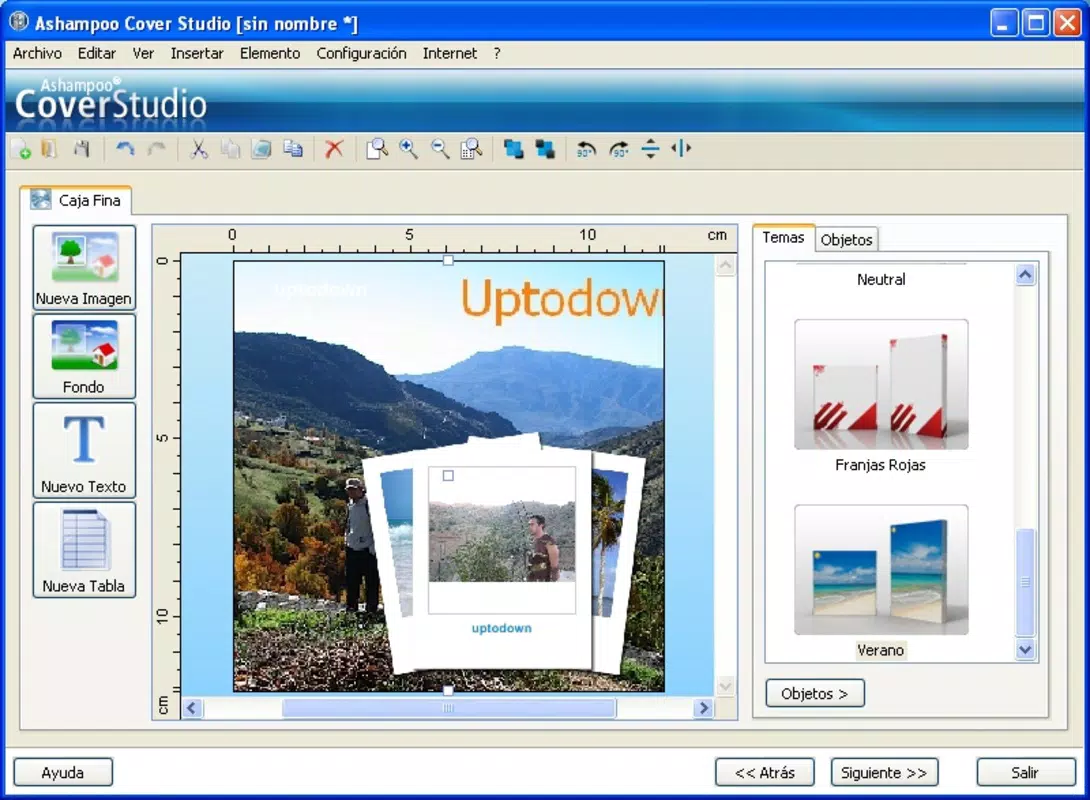
- Custom Themes and Templates: A selection of pre-designed themes and templates is available to accelerate the design process. These can be personalized with custom images, colors, and backgrounds, enabling users to maintain brand consistency or express individual style.
- LightScribe Support: Full compatibility with LightScribe technology allows users to print directly onto specially coated discs. This results in high-quality, permanent labels without the need for separate label sheets or adhesives.
- Design from Scratch: For users seeking full creative control, the software offers a blank canvas option. This enables the creation of unique, custom layouts tailored to specific project requirements.
Each feature is designed to reduce the time and complexity involved in media labeling. For example, a home user organizing a music collection can import track data from a CD, select a template, and generate a booklet and cover in minutes. Similarly, a small business creating training videos can produce branded Blu-ray cases with consistent branding across all releases.
Interface, UX & Performance
Ashampoo Cover Studio features a clean, intuitive interface that organizes tools and design elements within clearly labeled panels. The layout prioritizes workflow efficiency, placing commonly used functions—such as template selection, track import, and preview—within easy reach. Navigation is linear and predictable, guiding users through project creation from start to finish.
The visual style is minimalistic, focusing on functionality without overwhelming the user with excessive graphics. Design elements are responsive, allowing for smooth adjustments to text, images, and layout components. Although the developer did not list formal performance metrics, the application appears optimized for typical Windows environments, with stable operation across different device categories.
Users can expect consistent responsiveness during design tasks, including image scaling, text editing, and layout adjustments. The software maintains stability during extended sessions, and no known issues with crashes or freezes were reported in available documentation. The overall user experience is streamlined, making it accessible even to those without prior design experience.
Platform Compatibility & Technical Requirements
Ashampoo Cover Studio is designed for the Windows platform and is compatible with current Windows operating systems. The software has a file size of 128.3 MB, which is moderate for a design-focused application. The version listed is 1.0.0, released on February 25, 2015.
The developer did not specify minimum OS requirements or hardware recommendations. Compatibility information was not fully disclosed, so users should ensure their system meets general Windows software requirements for optimal performance. The application does not appear to be available on mobile platforms or macOS, indicating it is intended solely for desktop use.
Pros and Cons
Pros
- Supports multiple media packaging formats, including DVD, CD, and Blu-ray cases.
- Offers direct LightScribe printing for durable, professional labels.
- Includes a variety of customizable templates and themes to accelerate design.
- Enables track data import from physical discs, improving accuracy and efficiency.
- Allows full creative control with a “design from scratch” option.
Cons
- Platform is limited to Windows; no mobile or macOS versions available.
- Version and release date are outdated (2015), raising concerns about current support and updates.
- Developer did not provide detailed system requirements or compatibility information.
- Price point of $19.99 may be considered high for a single-use tool with limited updates.
- Not designed for modern mobile workflows or cloud-based collaboration.
FAQ
Is Ashampoo Cover Studio available for mobile devices?
Currently, the application is only available for Windows. There is no official version for Android or iOS devices.
Can I use Ashampoo Cover Studio without a LightScribe-compatible printer?
Yes, the software functions fully without a LightScribe printer. Users can still design and print labels using standard printers and adhesive label sheets.
Does the software support custom image uploads?
Yes, users can import their own images and backgrounds to personalize templates and create unique designs.
How often is Ashampoo Cover Studio updated?
The latest version listed is from 2015. The developer has not released any updates since then, and no information on future updates was provided.
Is the software secure to download and install?
As a product from Ashampoo, a reputable software developer, the application is considered secure. However, users should always download from official sources to avoid third-party modifications.
Final Thoughts + CTA
Ashampoo Cover Studio remains a functional tool for users focused on creating high-quality, professional media packaging. While its age and lack of updates are notable drawbacks, the software continues to deliver core functionality with a clear, user-friendly interface and robust feature set. Its support for LightScribe, template customization, and track import makes it a practical choice for those who value physical media presentation.
However, users should be aware that the application is no longer actively maintained and may face compatibility challenges on newer Windows systems. For those needing a reliable, one-time solution for disc labeling and cover design, Ashampoo Cover Studio still offers value. It is best suited for desktop users with Windows systems who prioritize design quality over modern features.
Download Ashampoo Cover Studio now


